The sig editor is completely mental how do I clear it completely to start again?
EDIT: I have to look into this further. I see the formatting issue and I see that some of you don't get to see your current Signature.
(Don't try to edit, the current signature will then be erased...)
More to come..
-Lars
I hope the Signatures work now.
Please note that the Forum signature does not allow HTML, but unfortunately the Signature Editor does... You can use BB-Code in the signature, but you have to figure that out yourselves

So, you have to edit the Signature carefully as follows:
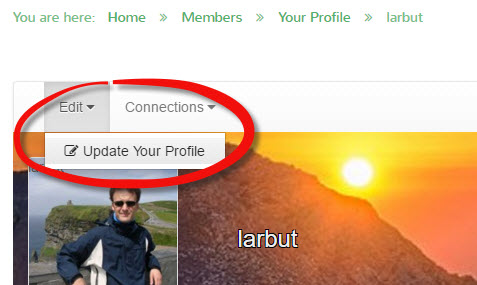
At Your Profile (click your profile name)
Edit the Signature Text Box.
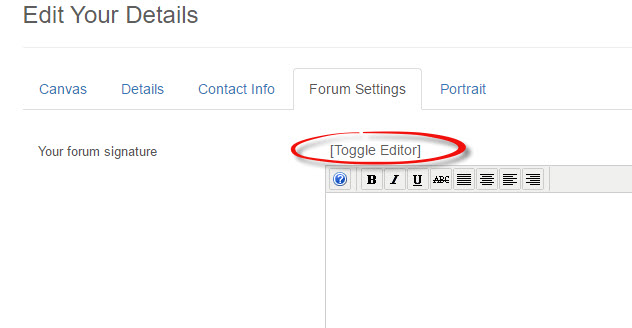
To remove "hidden characters" like <p> nd stuff, click "Toggle Editor" and you will see the entire text.
Let me know if this does not work.
Finally, those of you with existing signatures should also now see it in your profile. Take care editing it, as saving may remove some of the features you have carefully added (colours and stuff)