|
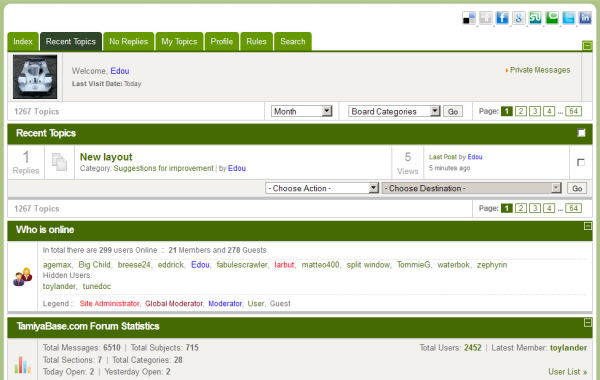
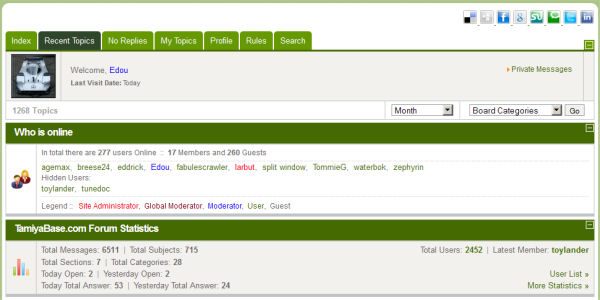
Mmm... don't know if this is new or old because I usually take the route through 'Forum' at the top of the home page.
But when I click on 'More topics' at the bottom of the page, I only get a very limited overview. When I click on any of the other pages there, all the references to topics disappear. _______________________________________________________________________________________ |
|
|
Please Log in to join the conversation.
Last edit: by Edou.
|
|
Let's see:
- The "More Topics" link on the front page is now working. That was a bug in the software (I believe it was like that before the upgrade also) - the smilies - the best thing is, as you mention, that the "New" icon does not disappear after visiting only one new topic. -Lars Signature now gets correct formatting if you edit it in your Profile. Use normal BBcode if you want.
www.tamiyabase.com was formatted automatically. |
|
|
Please Log in to join the conversation. |
|
I think I noticed another small glitsch when I came to the site today...
Some of the topics that I already read were marked as 'new' again. But posting a message and returning to the home page after that, sorted this out. There's another very good upgrade also - attachments that were posted in previous messages now appear on the page where new messages are typed. Don't know a better way to describe it... Wish they lowered those smilies a bit though... |
|
|
Please Log in to join the conversation.
Last edit: by Edou.
|
I don't know about this one, but I will keep an eye out... It could be the cache on your computer (your browser remembering the last pages you have visited). A Refresh (F5) usually fix that. Yep, that is an improvement. Nothing I can control, sorry. Signature now gets correct formatting if you edit it in your Profile. Use normal BBcode if you want.
www.tamiyabase.com was formatted automatically.
The following user(s) Liked this: Edou
|
|
|
Please Log in to join the conversation. |
|
I see many improvements with the update...
But what's annoying me a bit (apart from the uneven smilies) is the fact that there now seems to be an extra empty line beneath every picture that is linked to. I would usually ad this myself when writing a message so now all the text after an image link is double spaced. Up to the point where the update was implemented, because I discovered it quite fast... Nothing one can do about this... but it almost makes a layout freak like me want to edit all my messages. |
|
|
Please Log in to join the conversation.
Last edit: by Edou.
|